Adding the HEIDENHAIN DNC License on TNC 640
This guide explains how to activate the HEIDENHAIN DNC (Option 18) license on a TNC 640 control once you've received your license key by email.
Prerequisites
Before starting:
- You have physical access to the TNC 640 control.
- You have received the license key (activation code) from HEIDENHAIN or your machine tool builder.
- The control is powered on and at the main screen.
Steps to Activate the License
Step 1: Open the MOD Menu
- On the control panel, press the
MODkey. - The MOD Functions window opens (Settings and Information).
- Navigate to the top option Code number entry.
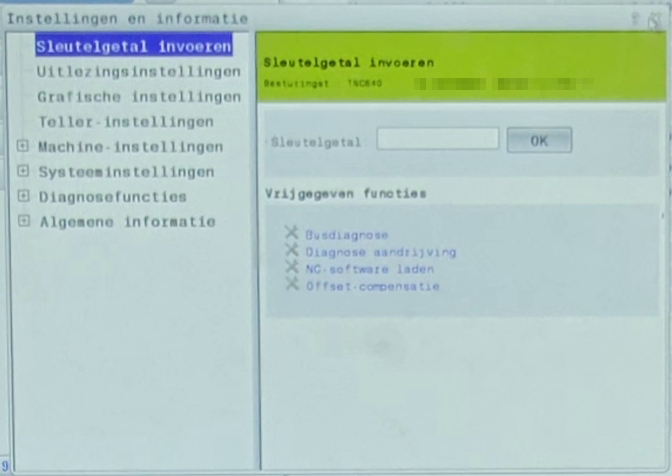
Step 2: Enter the SIK Access Code
- When the Settings window is open, click/tap the input field and use the keyboard to type:
SIK
- Confirm with the ENTER key.
- The control now displays the SIK content and option state screen.
- This menu lists all licensed and available options for the control.
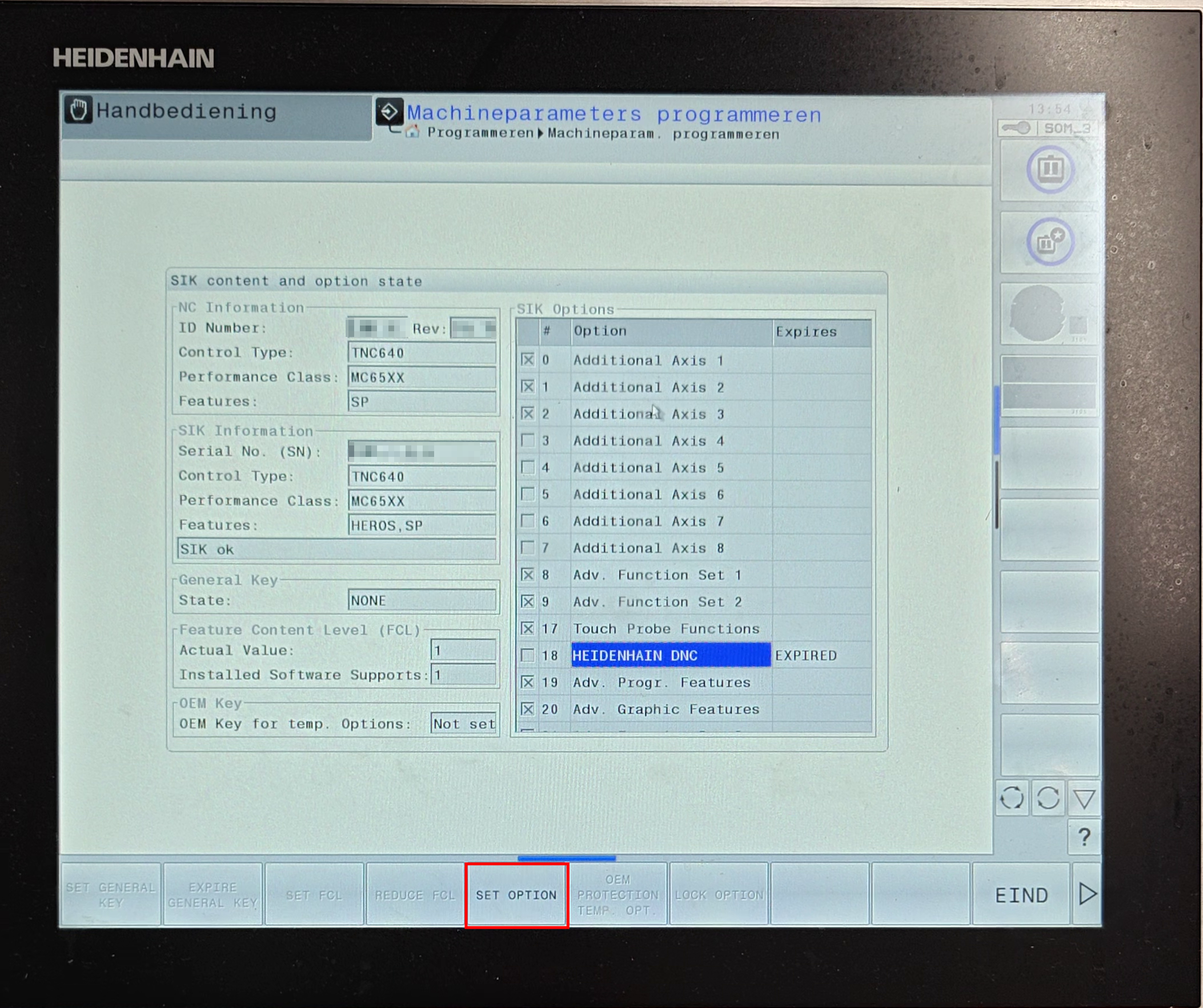
Step 3: Select Option 18 - HEIDENHAIN DNC
- In the SIK Options list, scroll down to find: Option 18 - HEIDENHAIN DNC
- Highlight this option using the arrow keys or touchscreen.
Step 4: Set the Option
- With Option 18 - HEIDENHAIN DNC selected, press the
SET OPTIONsoftkey. - The control will prompt you to enter the license key code.
Step 5: Enter the License Key
- Carefully enter the license key exactly as it appears in the email from HEIDENHAIN.
- Confirm with ENTER.
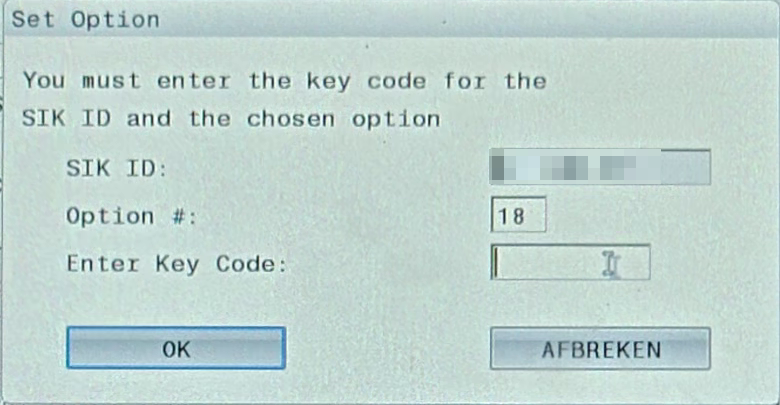
- The control validates the key and activates Option 18.
Step 6: Verify Activation
- Once confirmed, the list will show Option 18 - DNC as “active” or “enabled.”
- Exit the menu using the END softkey or by pressing MOD again.
- If prompted, restart the control to finalize activation.
Troubleshooting
| Symptom | Possible Cause | Solution |
|---|---|---|
| “Invalid key” error | Typo in key entry | Re-enter the code carefully; check for confusing characters (e.g. O vs 0) |
| Option 18 not appearing | Software version mismatch | Verify control software version supports Option 18 |
| Option still inactive after entry | Restart required | Reboot the TNC 640 and recheck the license list |
Notes
- The license key is bound to the specific machine ID; it cannot be reused on another control.
- Menu names can vary slightly between software revisions.
- Once activated, the DNC feature allows remote program loading and communication with external systems.