Reniway Edge Deployment & Network Setup
Reniway Edge can run on a virtual machine in your own infrastructure or on the Reniway Edge Gateway, a dedicated industrial edge device. Both options run the same Reniway Edge software stack on the same operating system, receive the same updates, and connect to your networks in the same way. Choose the option that best fits your hosting model.
The Reniway Edge stack is Docker-based. That keeps deployment consistent across both options and makes custom integrations with other stacks possible on request.
Deployment Options
| Virtual machine | Reniway Edge Gateway | |
|---|---|---|
| Hardware | Your own hypervisor or server infrastructure | Fanless industrial IPC supplied by Reniver |
| Best for | Sites with existing IT or OT hosting and central management of servers | Sites without server infrastructure, or where a standalone device next to the machines is preferred |
| Sizing | Scales with the resources you assign, see System Requirements | Quad-core Intel CPU, 8 GB RAM |
| Software and updates | Identical Reniway Edge stack and update mechanism | Identical Reniway Edge stack and update mechanism |
Virtual Machine
Run Reniway Edge on your own infrastructure, such as Proxmox or VMware. This lets you align the deployment with your existing IT or OT hosting model, including your own backup, monitoring and high-availability tooling, while keeping the same Reniway Edge software stack.
Want to try it first? See Evaluation VM.
Reniway Edge Gateway
A plug-and-play industrial edge device, prepared for machine connectivity and on-site data collection.
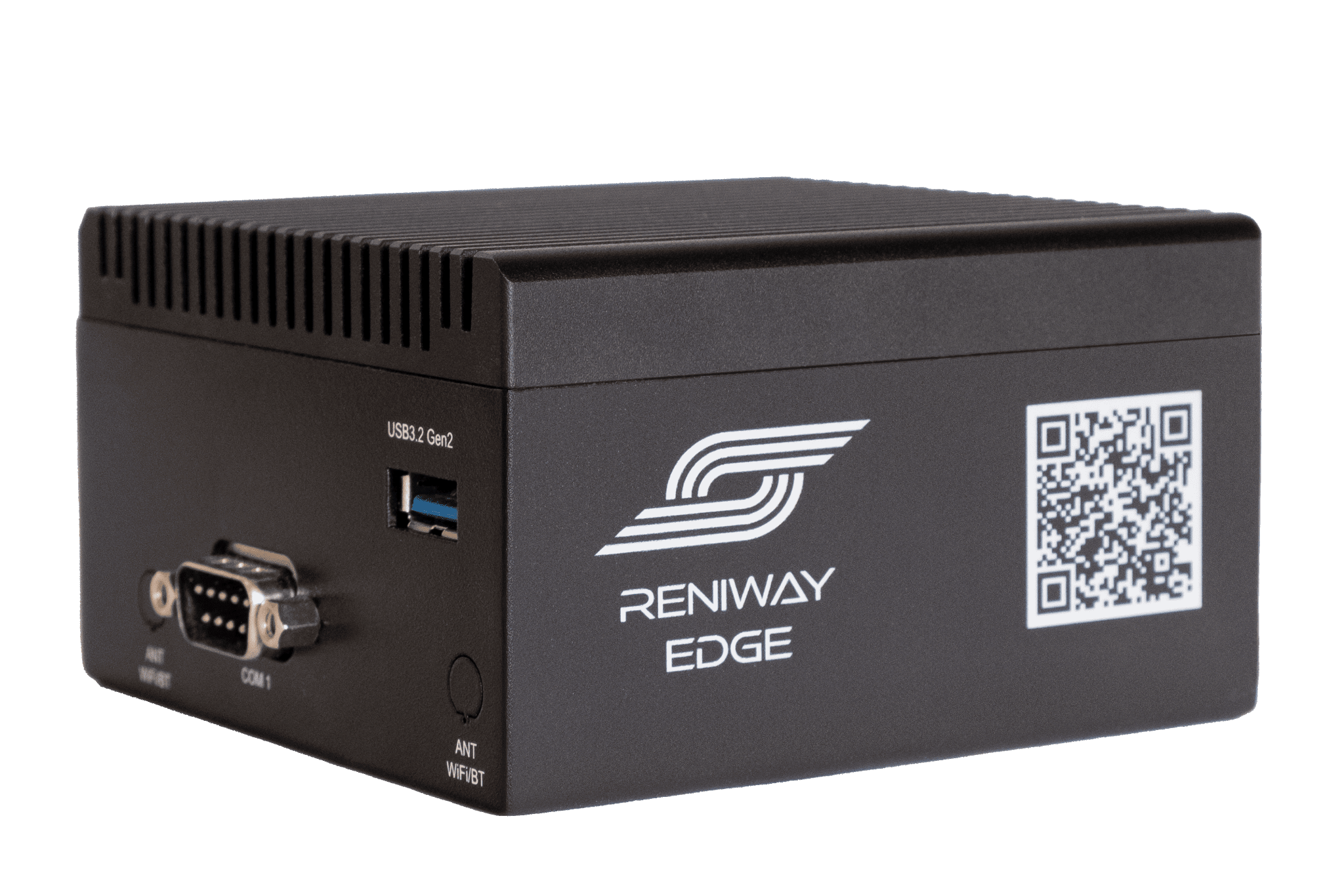
- Plug & play: quick to install and ready to use out of the box, so you can connect machines and start collecting data without complex setup.
- Industrial-grade hardware: fanless, compact IPC with a quad-core Intel CPU, 8 GB RAM and multiple industrial interfaces, built for reliable performance in harsh environments.
Security and Updates
Both deployment options run on the same secure Debian Linux operating system and include 5 years of software and security updates. The operating system, the Reniway application and your customer configuration are updated independently, and updates are signed and verified on the device before they are installed.
For details, see Deployment and fleet management and Security in the architecture overview.
Network Architecture
Whether it runs as a virtual machine or on the Gateway, Reniway Edge sits between your IT network and your OT machine network, with a separate network interface for each side. On a virtual machine, this means connecting the VM to both networks.
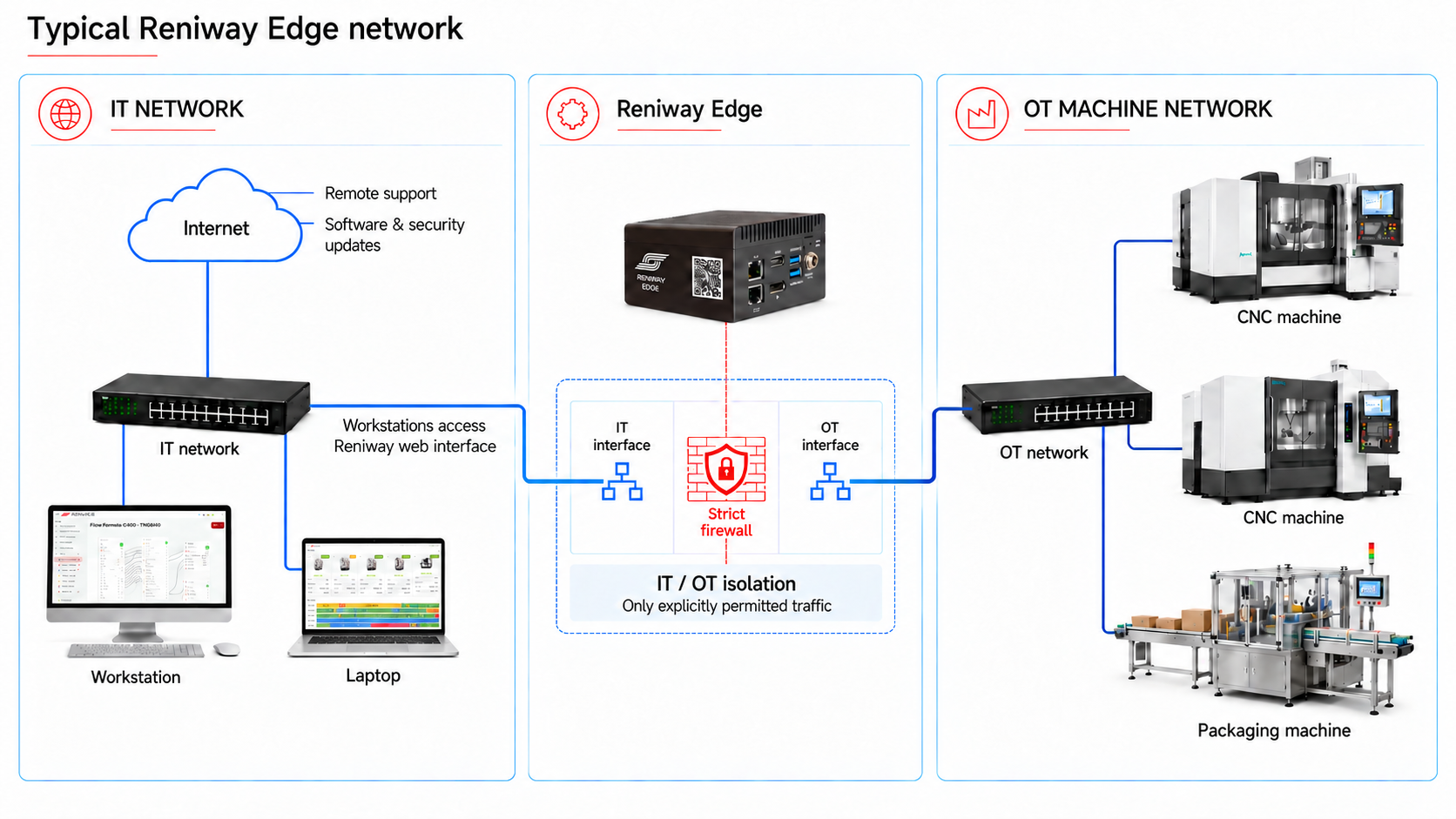
- IT interface: connects to your office network. Workstations and laptops use it to access the Reniway web interface, and it provides the internet connection for remote support and software & security updates.
- OT interface: connects to the machine network with your CNC, packaging and other production machines.
- IT / OT isolation: a strict firewall between both interfaces only allows explicitly permitted traffic, so the machine network is not exposed to the IT network or the internet.
System Requirements
Use these profiles to size a virtual machine, based on the services you want to run and the number of connected machines.
| Profile | CPU | RAM | Storage | Services | Connected machines |
|---|---|---|---|---|---|
| Minimal edge deployment | 2 cores | 2 GB | 64 GB | Reniway Edge without database or Grafana | 1-4 machines |
| Typical full-stack deployment | 4 cores | 8 GB | 128 GB | Reniway Edge with database and Grafana | Up to 20 machines |
Integration Flexibility
Because the platform is Docker-based, custom integrations with adjacent tooling or other application stacks are available on request. Contact sales@reniver.eu if you want to discuss your target environment or an integration requirement.